

What’s New

Latest Product Enhancements

Keep up with Kaamfu’s continuous improvements that make work faster, clearer, and easier for managers and teams. Explore new releases, refined features, and performance upgrades that move your organization closer to intelligent work control.

Kaamfu 2.1: Introducing Kai, Customizable Themes, and More

With Kaamfu 2.1, we’re introducing our first built-in AI assistant, faster ways to understand what your team is working on, and new appearance controls so every user can make Kaamfu feel like their own workspace. This release focuses on helping managers stay informed without chasing updates, improving visibility at key moments, and making the platform easier to work in throughout the day.

Kai, updates to the universal menu, improvements to Workstation Connect, and new themes come together to make Kaamfu more intelligent, more visual, and more personal.

Kai: Your AI Assistant Inside Kaamfu

Kai is now available across Kaamfu as an assistant you can chat with directly. Managers can use Kai to catch up on team activity, understand progress, and surface blockers by asking questions in natural language. Instead of digging through boards, conversations, and logs, Kai provides concise, contextual answers based on real work happening inside Kaamfu.

AI-powered Story and Alignment Score

Right-clicking a member’s avatar now opens an extended pane that defaults to Story view. This is a live, AI-generated narrative of the member’s last hour of work. Alongside the story, Kaamfu shows an alignment score calculated from multiple activity and work signals, helping you quickly understand how a worker’s activity aligns with expectations.
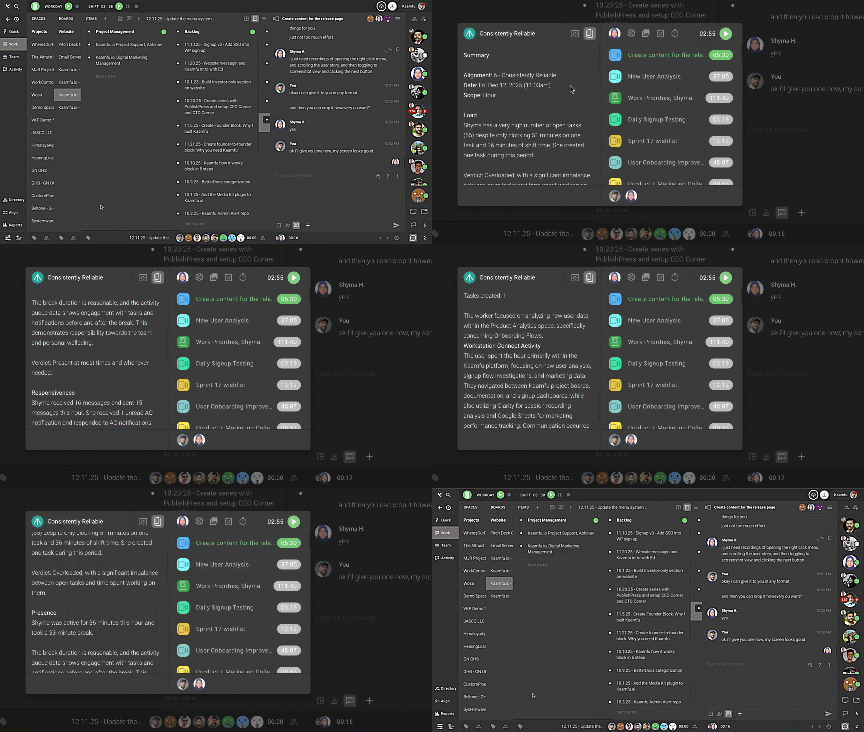
The Story view includes:

  • Load: current open tasks
  • Presence: breaks taken and availability
  • Responsiveness: notifications received and response time to attention requests
  • Task overview: tasks worked on in the last hour, with a short summary

Try it by right-clicking a member’s Avatar from the Workline/status panel on the right sidebar, inside a conversation, or from the Team panel. The Story View opens in the extended pane, where you can scroll through each section to review the past hour.

Screenshot Carousel and AI Analysis

The extended pane in the member’s right-click menu also includes a Screenshot View that shows a carousel of screenshots captured since the beginning of the day. Each screenshot includes an AI-generated analysis explaining what’s happening on the screen, along with the time the screenshot was captured.

When you scroll through the screenshots, the analysis updates below the image so you can follow changes over time without leaving your current context.
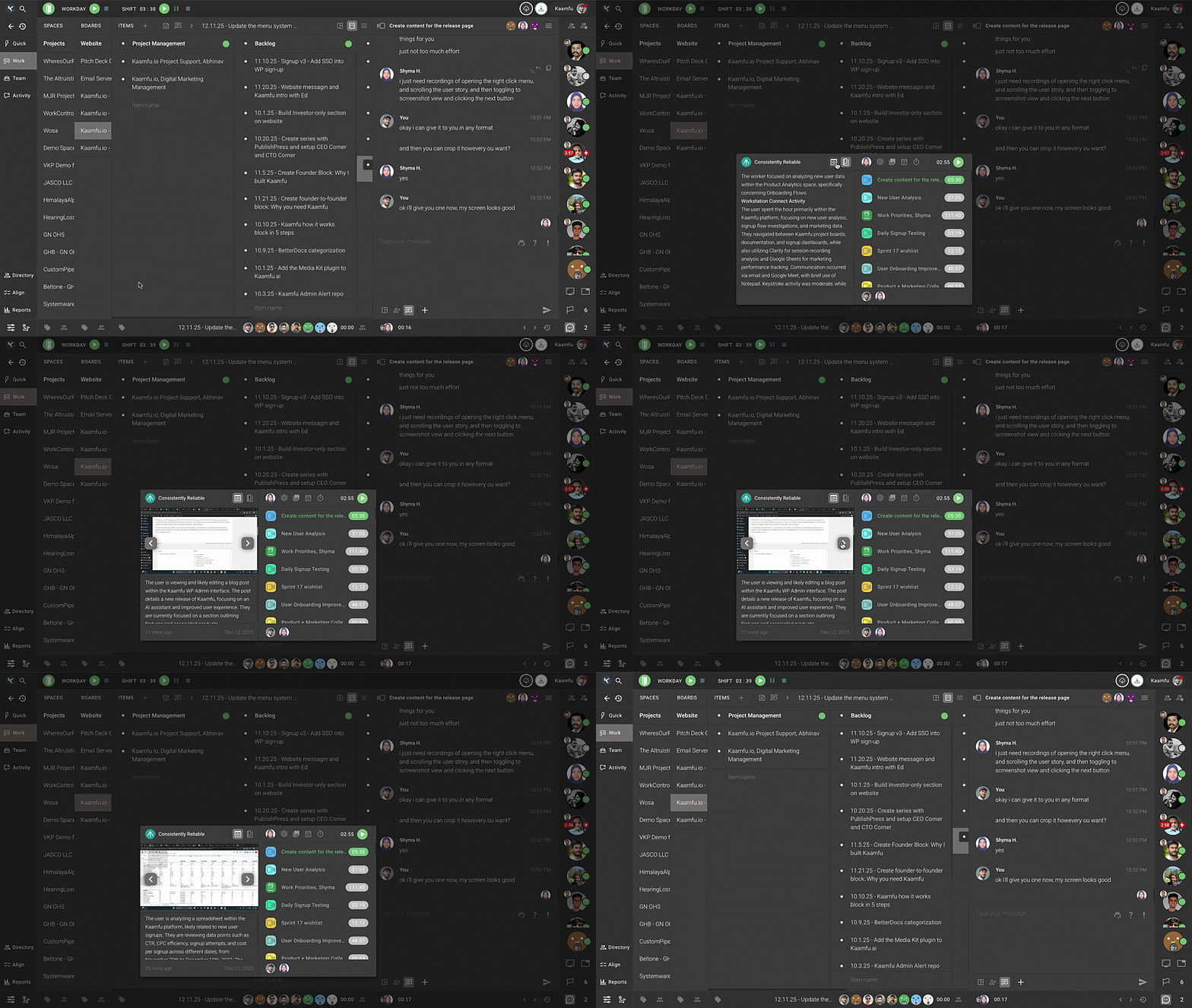
Try it by right-clicking a member’s avatar, switching to Screenshot from the header of the extended pane, browsing through the screenshots, and scrolling through the analysis for each capture.

Themes and Appearance Controls

Kaamfu now supports six themes, giving every user more control over how the workspace looks and feels. Each theme can be customized so colors better match personal preferences or working environments.
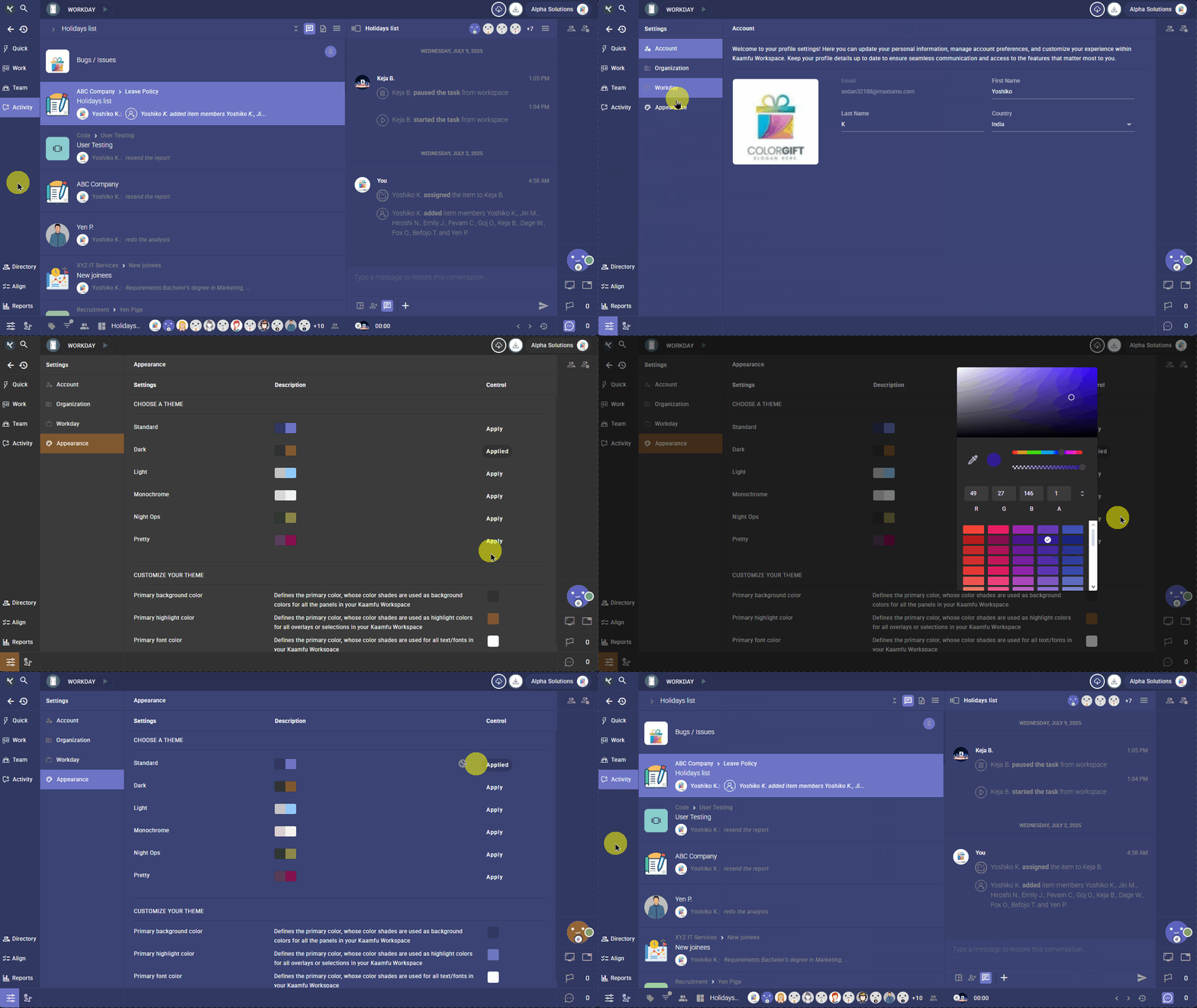
To change the them, click Settings in the bottom-left, open Appearance, and select Apply on the theme you want to use. To customize the theme, use the controls at the bottom of the page to adjust background, highlight, and font colors.

URL Capture through Workstation Connect

Kaamfu Workstation Connect now captures the URL when a worker is active in a browser. The event appears as Browser Capture, and the details show which browser was used along with the captured URL.
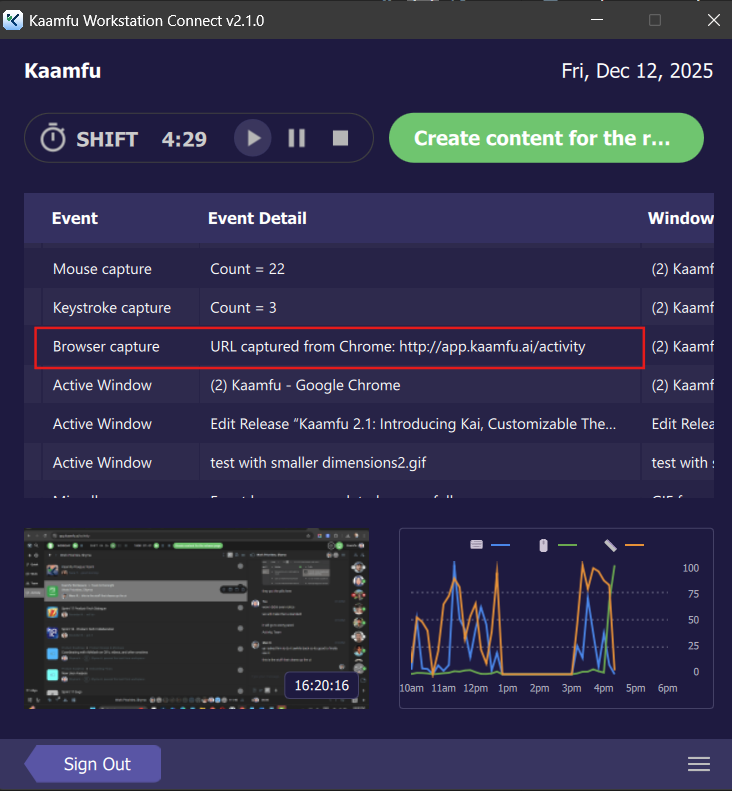
This makes it easier to understand browser-based work without guessing which page was open.

Live Activity Graph in Workstation Connect

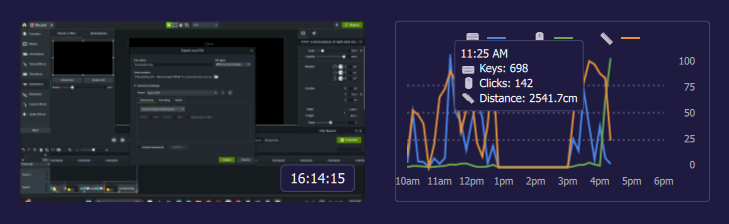
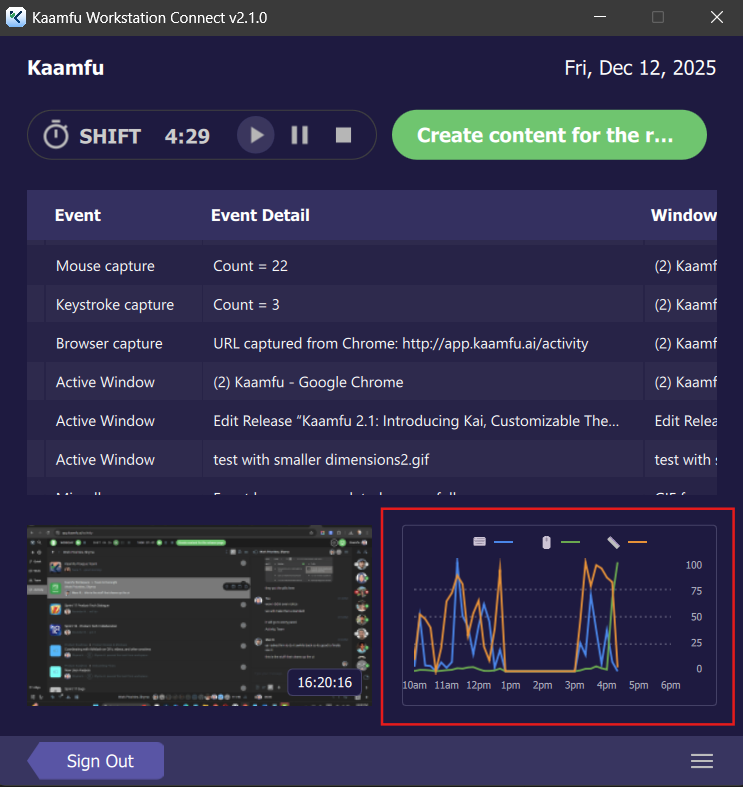
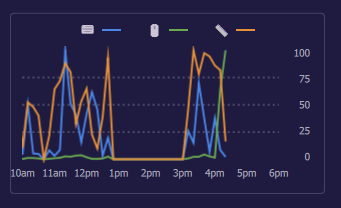
Workstation Connect now includes a live activity graph alongside the event table. The graph visualizes activity over time, with time on the horizontal axis and activity counts on the vertical axis. When you hover over the graph, a tooltip follows your cursor and shows the timestamp, keystroke count, mouse click count, and mouse travel distance—making activity patterns easier to read at a glance.
Kaamfu v2.0 Launches in America

Kaamfu is now available to customers across the US. After two years of running our own operations on Kaamfu, a staging rollout in India, and months of market testing, we’re opening the platform to teams who want a more controlled, predictable way to manage work.

A single environment for modern work

Kaamfu brings projects, tasks, time tracking, team communication, and desktop activity into one place, so managers don’t have to stitch together multiple tools to understand what’s going on.

This helps teams:

  • Reduce noise from scattered systems and channels
  • Keep updates tied directly to the work they describe
  • Make decisions based on real, current activity

Proven with teams before launch

Leaders and managers in India have already been running live teams on Kaamfu, using it to track work, understand how time is spent, and keep outcomes on course. Their response has shaped how the product works today. Now, teams in the US can operate in the same environment and benefit from the same level of visibility and control.

What’s coming next

This US launch is the starting point, and we’ll continue refining the experience as more organizations onboard and share how they’re using Kaamfu day to day.

Hint: a lightweight, AI-powered way to get answers from inside Kaamfu is coming soon.

More updates will follow in upcoming releases.

Smarter dashboards, clearer effort, and workday controls in Kaamfu

This release focuses on giving managers a sharper view of how work moves through Kaamfu and how time is spent, while tightening control over when the workday starts and ends. Dashboards become more visual, effort is easier to read at a glance, and workspace time settings are more predictable.

Cumulative Flow Diagram in the board-level dashboard

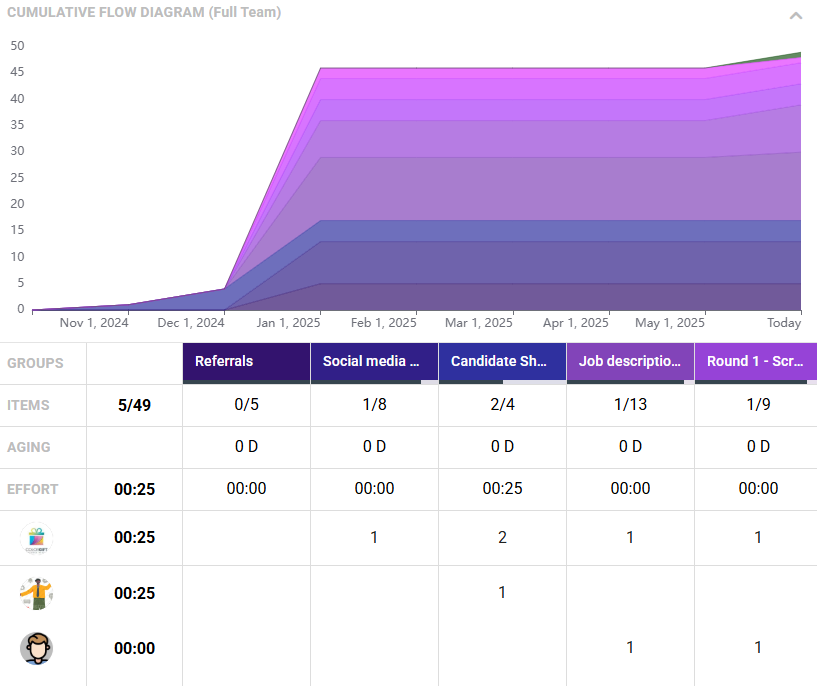
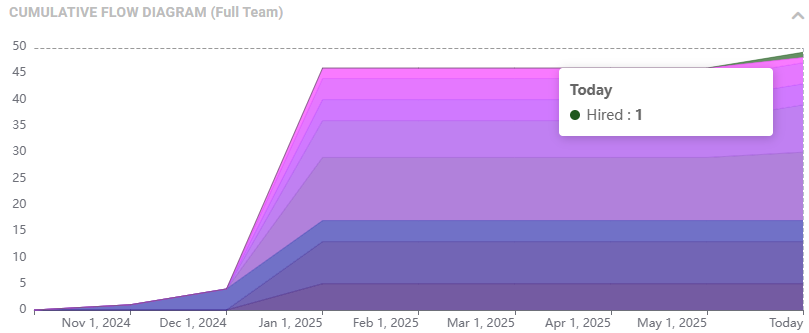
Board dashboards now include a Cumulative Flow Diagram (CFD) to visualize how work progresses across Item Groups over time. The diagram is interactive, with color-coded groups, hover tooltips, and a collapsible layout, so managers can quickly spot bottlenecks, understand throughput, and review progress without leaving the Board.

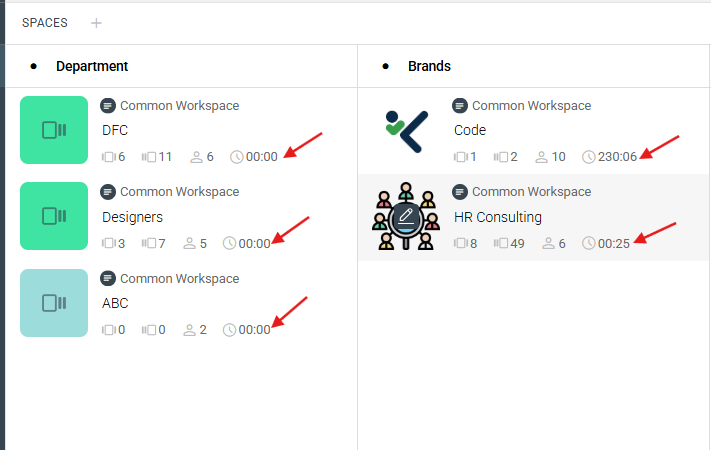
Total effort added to Spaces and Boards

Effort is now surfaced directly across the Work panel, so you see where time goes without jumping into separate reports.

  • On Spaces, you will see total effort alongside the count of Boards, Items, and Members.
  • On Boards, total effort now appears next to the number of Items and Members.

This makes it easier to assess workload and progress at every level of the hierarchy.

Workday settings for time and control

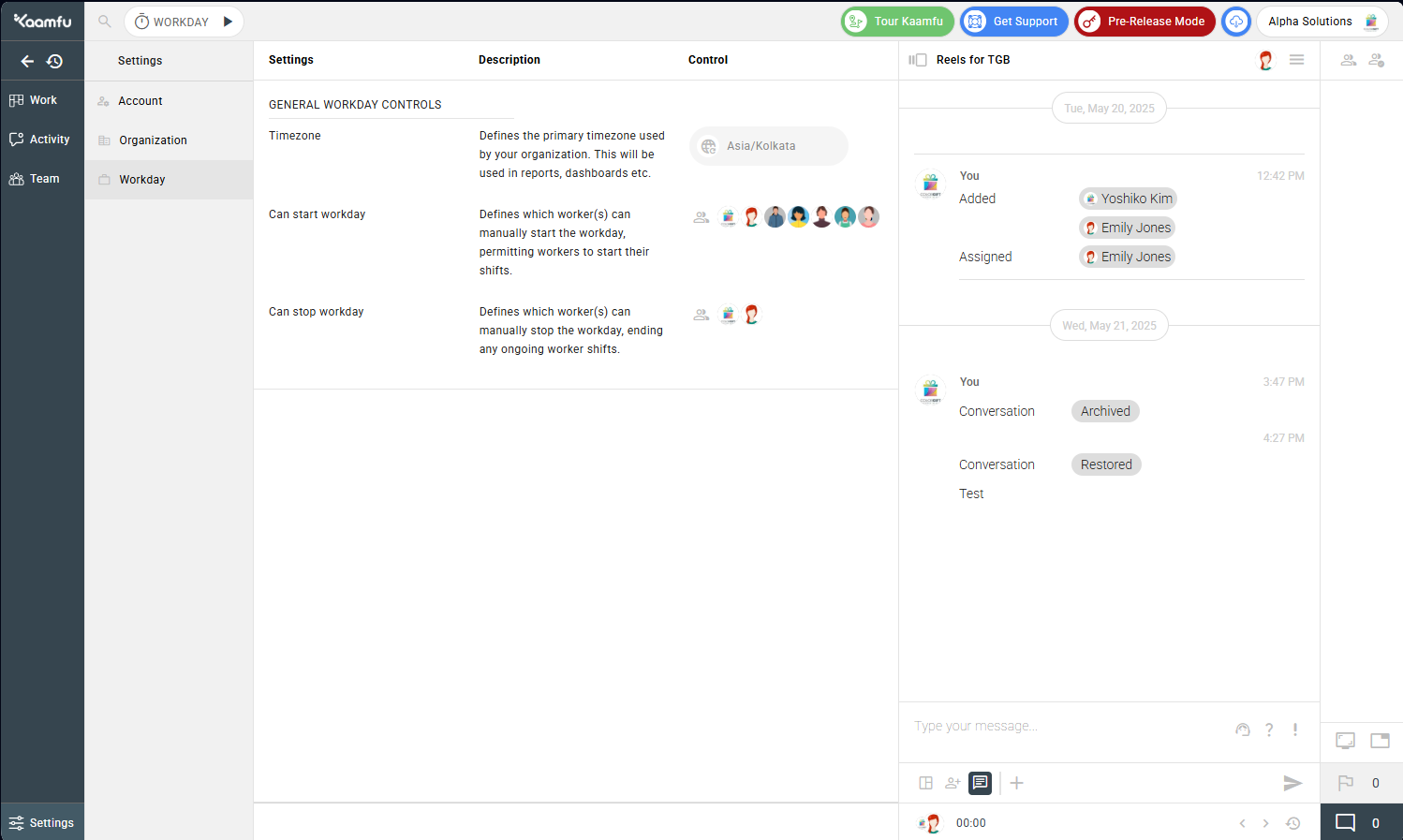
Organization Owners now set a workspace-wide timezone, so reporting and scheduling stay consistent across the platform. They can also define who is allowed to start and stop the workday, reducing accidental overlaps or pauses. These controls give owners a clearer handle on when work begins, when it ends, and how it appears in reports.

Kaamfu v1.0 Launches in India

Kaamfu is now available in India as a staging release. This rollout introduces the Kaamfu web platform and our Windows desktop application to teams who want a more unified, predictable way to manage work.

A connected workspace for daily operations

Kaamfu brings work management, contextual chat, time tracking, and desktop activity together in one place. Instead of moving across different tools for updates, communication, and tracking, teams can collaborate and stay aligned inside a single environment.

This helps teams:

  • Keep conversations tied directly to the work they reference
  • Understand how time is being spent throughout the day
  • Reduce context switching and improve clarity

Designed for managers and teams

Managers can track work in real time, follow progress across boards and tasks, and get a clear view of how the day is unfolding without relying on scattered updates. Teams have a consistent space to plan, communicate, and stay focused on their work.

What’s ahead

This staging launch allows us to gather feedback quickly and refine the platform as organizations begin using Kaamfu in their day-to-day operations. We’ll continue improving stability, tightening workflows, and introducing new capabilities as we move toward a broader release.

More updates will follow as Kaamfu evolves with the teams using it.

Click on the unmute icon on the video
Drag